Showing posts with label JPEG. Show all posts

Friday, 12 September 2025

HEIC File Format

I uploaded an image taken on my iPhone to Google Drive and noticed that the file format ended in .HEIC. After downloading it, I dropped it into WhatsApp and noticed the image wouldn't display. I thought it was time to find out more about this file format. I asked Gemini:

What is HEIC file format and is it compatible with most messaging apps?

HEIC, or High Efficiency Image File Format, is a modern image file format that uses High Efficiency Video Coding (HEVC) to store images. It's the default format for photos taken on iPhones running iOS 11 or later because it can produce higher-quality images with smaller file sizes compared to older formats like JPEG. This helps save storage space on your device. 

While HEIC is great for storage and quality, it is not universally compatible with most messaging apps or other devices. Messaging apps, especially those that use MMS (Multimedia Messaging Service) for cross-platform communication, often automatically convert HEIC images to the more widely supported JPEG format to ensure the recipient can view the photo. This conversion can sometimes lead to a loss of image quality. While some apps and platforms, particularly within the Apple ecosystem, have native HEIC support, you might run into compatibility issues when sharing these files with users on other operating systems like Android or Windows.

The settings can be changed on your iPhone so that all images can be saved in JPEG format if wanted. I tried to change the image that I'd downloaded to a JPEG using Ubuntu's Shotwell app. No luck. I asked Gemini:

I tried Shotwell and the image name was greyed out and thus unable to be uploaded. Any workarounds?

Shotwell has a known issue with HEIC files, especially when you are using the Snap or Flatpak versions of the app, which sometimes lack full system integration to handle these files. The files appearing "greyed out" during upload often indicates that the application doesn't have the necessary library or permissions to properly process and convert the HEIC format for the web service.

A reliable workaround is to convert the files to a compatible format like JPEG first, using a separate tool, before attempting to upload them. As we discussed, the `heif-convert` command-line tool is excellent for this.

Convert HEIC to JPEG with `heif-convert`

1.  Open your terminal.

2.  Use the command to convert the file:

    `heif-convert your_photo.HEIC your_photo.jpg`

3.  Then, upload the newly created `your_photo.jpg` file using Shotwell or your web browser.

This two-step process bypasses the problem within Shotwell and ensures your images are in a universally compatible format.

In the end I just downloaded GIMP and used that to convert the file.  While preparing this post, I found an image that I liked and wanted to insert it. However, it was in AVIF format and found that Blogger wouldn't accept it. Interesting. I've written about this file format in a post titled A New Image File Format in July of 2023.

Sunday, 23 July 2023

A New Image File Format

I wanted to download an image file that was in avif file format. This was a format that I'd never seen before. I asked Bard for information about it. Here is what it came up with:

AVIF stands for AV1 Image File Format. It is a royalty-free image file format that uses the AV1 video codec for compression. AVIF files are typically smaller than JPEG or WebP files, while maintaining or even improving image quality.

AVIF files are supported by a growing number of image viewers, including Google Chrome, Mozilla Firefox, and Apple Preview. They can also be converted to other image formats, such as JPEG or PNG.

Here are some of the advantages of using AVIF files:

They are smaller than JPEG or WebP files, while maintaining or even improving image quality.

They are royalty-free, so they can be used without any licensing fees.

They are supported by a growing number of image viewers.

Here are some of the disadvantages of using AVIF files:

They are not as widely supported as JPEG or WebP files.

They may not be compatible with older image viewers.

Overall, AVIF files are a promising new image format that offers a number of advantages over JPEG and WebP files. As more image viewers support AVIF files, they are likely to become more widely used.

Here are some of the features of AVIF files:

Support for multiple color spaces, including HDR and SDR.

Lossless compression and lossy compression.

Transparency support.

Animation support.

AVIF files are a good choice for a variety of applications, including:

Online images, such as those used on websites or in email.

Digital images, such as those used in photography or graphics design.

Video thumbnails.

If you are looking for an image format that offers high image quality and small file sizes, AVIF is a good option to consider.

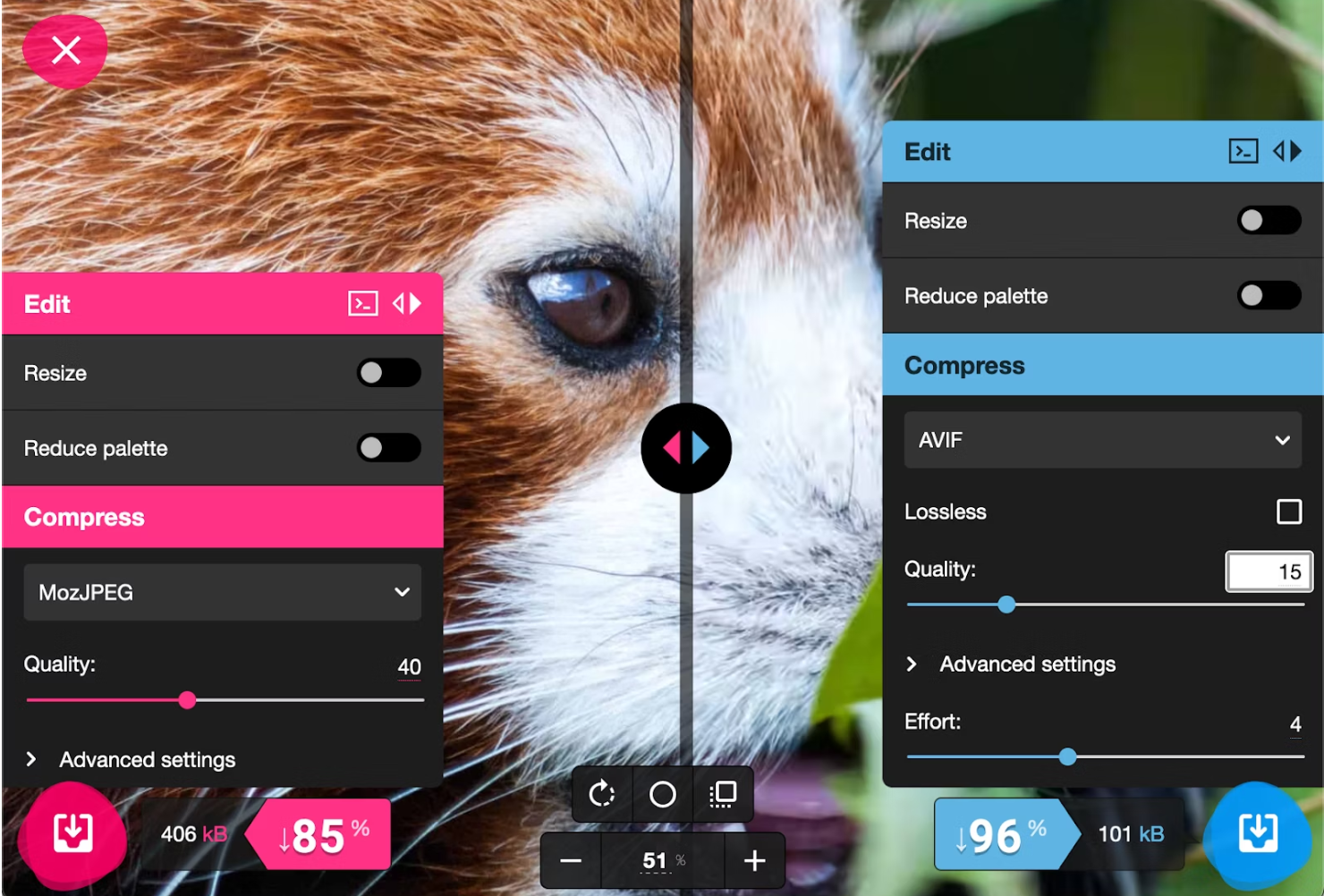
I downloaded the avis image and tried to upload it to this blog but the server rejected it. Thus one of the disadvantages (not as widely supported as JPEG or WebP files) becomes immediately apparent. In Linux Mint, the only image program that would open it was GIMP and I was able to use this to export the image as JPEG. See below:

So that was interesting. Here is some further information (source):

AV1 Image File Format (AVIF) is an encoding based on the open source AV1 video codec. AVIF is even newer—than WebP, only supported in Chrome and Opera since 2020, Firefox in 2021, and Safari in 2022. As with WebP, AVIF aims to address every conceivable use case for raster images on the web: GIF-like animation, PNG-like transparency, and improved perceptual quality at file sizes smaller than JPEG or WebP.

So far, AVIF shows promise. A testing framework developed by Netflix—a founding member of the Alliance for Open Media, the group responsible for the development of the AV1 codec—shows significant reductions in file sizes when compared to JPEG or WebP. Additional studies by Cloudinary and Chrome's codecs team have weighed it favorably against current encoding standards.